
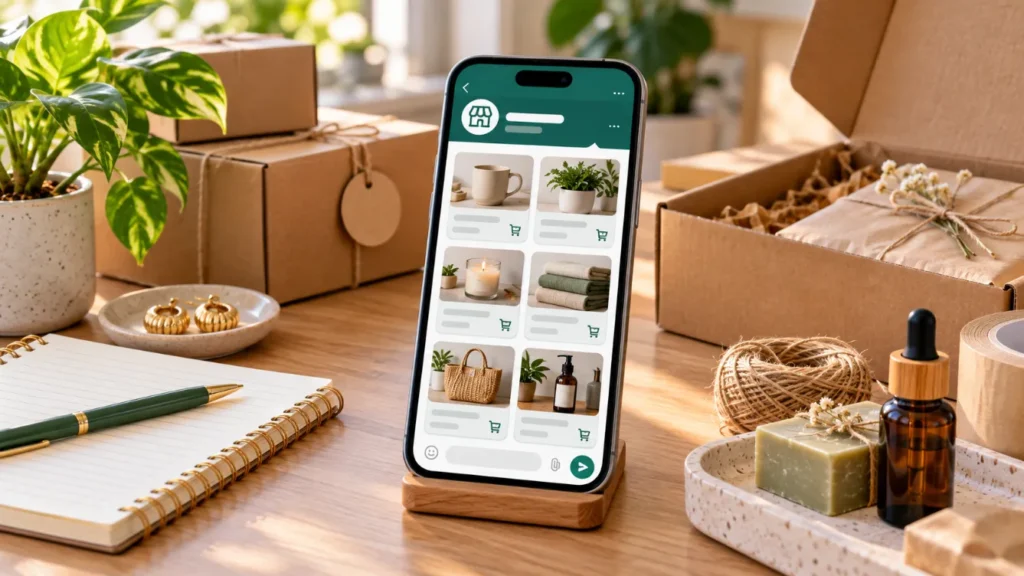
Home business එකක් පටන් ගන්නකොට මුලින්ම Instagram page එකක් හදලා followers හොයන්න ඕන කියලා හිතෙනවා. හැබැයි customer කෙනෙක් “මොන products තියෙනවාද?”, “price එක කීයද?”, “photos එවන්න” කියලා WhatsApp එකෙන් අහනවා නම් WhatsApp Business Catalogue එකක් මුලින්ම හදාගන්න එක වඩා practical වෙන්න පුළුවන්. Followers 5,000ක් නැතිවුණත් products, prices සහ ordering details එකම තැනක clearව පෙන්නන්න පුළුවන් නිසා first customers ට order එකක් දෙන්න ලේසි වෙනවා.
WhatsApp Business Catalogue එක ඇත්තටම මොකටද?
සාමාන්ය WhatsApp chat එකක customer කෙනෙක් product එකක් අහන හැම වතාවෙම photos පහක්, prices තුනක් සහ description එක වෙන වෙනම send කරනවා නම් sellerටත් customerටත් confusion එන්න පුළුවන්. Catalogue එකක් තිබුණොත් customerට business profile එකෙන් products හෝ services browse කරලා තමන්ට අවශ්ය item එක තෝරගන්න පුළුවන්. WhatsApp Help Center අනුව business catalogue එක business profile එකේ display වෙන අතර individual products customersට share කරන්නත් පුළුවන්.
මේක website එකක් සම්පූර්ණයෙන් replace කරන එකක් නෙවෙයි. හැබැයි especially first seller කෙනෙක්ට product list එක organisedව තියාගන්න ලේසි starting point එකක්. Customerට chat එකෙන් chat එකට “price please” කියලා අහන්න වෙන එකත් අඩු කරන්න පුළුවන්.
Instagram Followers වලට කලින් Order Process එක Clear කරන්න
Instagram page එකක් ලස්සනට තිබුණත් customerට product එකේ price එක හොයාගන්න බැරි නම්, sizes දන්නේ නැත්නම් හෝ order කරන ක්රමය unclear නම් sale එක miss වෙන්න පුළුවන්. ඒ නිසා logo, reels සහ follower count එකට කලින් “customer කෙනෙක් අදම order එකක් දෙන්න ආවොත් මට process එක තියෙනවාද?” කියලා බලන්න.
Simple selling flow එක මෙහෙම වෙන්න පුළුවන්:
| Customerට දැනගන්න ඕන | Catalogue එකේ තියෙන්න ඕන දේ |
|---|---|
| මේක මොකක්ද? | Clear product name |
| කොහොමද පේන්නේ? | හොඳ product photos |
| Price එක කීයද? | Price / sale price තිබේ නම් |
| Details මොනවාද? | Size, material, quantity, flavour වගේ description |
| Item එක identify කරන්නේ? | Product code එකක් |
| තවත් details? | Website link හෝ WhatsApp message |
WhatsApp catalogue items සඳහා unique title එකක්, අවම වශයෙන් product/service එක පෙන්වන image එකක් සහ country of origin එකක් අවශ්ය වෙන අතර price, description, website link සහ product code වගේ additional details add කරන්නත් පුළුවන්. සමහර catalogue features country අනුව වෙනස් විය හැක.
WhatsApp Business Catalogue හදන්නේ කොහොමද?
මුලින් WhatsApp Business app එක use කරන්න. Current WhatsApp guidance අනුව Business Tools/Tools area එකේ Catalog option එකට ගිහින් new item එකක් add කරන්න පුළුවන්. App version සහ Android/iPhone අනුව button names හෝ location ටිකක් වෙනස් වෙන්න පුළුවන්.
Product එක add කරනකොට photo හෝ video upload කරලා product/service name එක දාන්න. Current WhatsApp Help guidance අනුව catalogue item එකකට images/videos කිහිපයක් — උපරිම 10ක් දක්වා — add කරන්න පුළුවන්, සහ country of origin එකත් select කරන්න වෙනවා. Price, sale price, description, website link සහ product code වගේ details optional fields ලෙස add කරන්න පුළුවන්.
Product Photo එක “හොඳ Camera එකක්” ගැන විතරක් නෙවෙයි
First seller කෙනෙක්ට professional camera එකක් ගන්නම ඕන නැහැ. Phone camera එකෙන් natural light තියෙන තැනක clean background එකක් use කරලා product එක clearly පේන විදිහට photos ගන්න පුළුවන්. Main photo එකේ product එක සම්පූර්ණයෙන් පේන්න, ඊළඟ photos වල close-up, size, texture හෝ use කරන හැටි පෙන්වන්න.
Catalogue design ගැන Gavi Digital දක්වන guide එකේ visual hierarchy, products logically group කිරීම සහ හොඳ product photography වගේ දේ customerට catalogue එක පහසුවෙන් තේරුම් ගන්න උදව් කරන බව අවධාරණය කරනවා. ඔබට catalogue presentation ගැන තවත් reference එකක් ඕන නම් professional catalogue design ගැන ඔවුන්ගේ guide එක බලන්න පුළුවන්. Catalog Design Sri Lanka guide
Product Name එක “Item 01” කියලා දාන්න එපා
Customerට catalogue එක scroll කරනකොට product එක මොකක්ද කියලා තත්පර කිහිපයකින් තේරෙන්න ඕන. “Dress 01”, “Cake 2”, “Package A” වගේ names sellerට තේරුණත් customerට useful නෑ.
ඒ වෙනුවට:
Black Linen Office Dress – Size M/L
Chocolate Cupcake Box – 6 Pieces
Handmade Beaded Earrings – Blue
Kids English Class – Grade 3–5
වගේ clear names use කරන්න. Search, sharing සහ chat එකේ item identify කරනකොටත් මේක ලේසි.
Description එක Short වුණත් Complete වෙන්න ඕන
Product description එක essay එකක් වෙන්න ඕන නැහැ. Customer order එකකට කලින් අහන ප්රධාන questions ටික answer කරන්න. Clothing නම් fabric, available sizes සහ colour; food නම් quantity, flavour සහ pre-order notice; service එකක් නම් duration, location/online සහ package එකට ඇතුළත් දේවල් දාන්න.
Example එකක්:
Chocolate Cupcake Box – 6 Pieces
Chocolate cupcakes 6ක්. Buttercream topping. Order එකට අවම වශයෙන් දින 2කට කලින් booking කරන්න. Pickup/Delivery details WhatsApp message එකෙන් confirm කරන්න.
මේ තරම් clear description එකක් තිබුණොත් same questions නැවත නැවත answer කරන්න වෙන එක අඩු වෙනවා.
Price එක Hide කරනවද, දානවද?
“Price inbox” කියන strategy එක සමහර businesses use කරනවා. හැබැයි first seller කෙනෙක්ට customerගේ decision එක ලේසි කරන්න පුළුවන් තරම් clear information දෙන එක බොහෝවිට useful. Fixed price එකක් තියෙන product එකක් නම් catalogue එකේ price දාන්න; custom order එකක් නම් “Starting from Rs. X” වගේ wording description එකේ පැහැදිලි කරන්න පුළුවන්.
Price එක frequentව වෙනස් වෙනවා නම් catalogue එක update කරන්න. Old price එකක් දැකලා customer order කළාට පස්සේ වෙන price එකක් කියන එක trust එකට හොඳ නැහැ. WhatsAppත් customersට latest offerings පෙන්වන්න catalogue එක updatedව තබාගන්න recommend කරනවා.
Customerට Cart එකෙන් Items Send කරන්නත් පුළුවන්
Catalogue එක browse කරන customerට supported setup එකකදී items cart එකට add කරලා sellerට එක message එකකින් send කරන්න පුළුවන්. Quantity change කරන්නත්, multiple products එකම cart inquiry එකකට add කරන්නත් පුළුවන්. හැබැයි WhatsApp Help Center පැහැදිලි කරන විදිහට customer cart එක send කළා කියලා order එක automatically final වෙන්නේ නැහැ; seller confirm කරන තුරු order එක final නෑ.
ඒ නිසා ඔබේ reply process එකත් ready තියාගන්න. “Thank you. Items available. Total Rs. X. Delivery Rs. X. Payment details මෙන්න” වගේ standard confirmation message එකක් හදාගත්තොත් order handle කරන්න තවත් ලේසි.
මුලින් Products 50ක් දාන්න ඕන නැහැ
First catalogue එක perfect supermarket එකක් වගේ හදන්න යන්න එපා. ඔබේ best products හෝ services 5–10කින් පටන් ගන්න. ඒවායේ photos, names, prices සහ descriptions හොඳට complete කරන්න.
උදාහරණයක් විදිහට cake business එකක් නම් flavours 30ක් upload කරනවාට වඩා best-selling cake sizes 5ක් clear කරන්න. Clothing business එකක් නම් stock නැති products ගොඩක් දානවාට වඩා available pieces organisedව දාන්න. Small, clear catalogue එකක් customerට decision එකක් ගන්න පහසු වෙන්න පුළුවන්.
Catalogue එක Customerට Share කරන්න
Catalogue එක හදාගෙන business profile එකේ තිබුණා කියලා customerලා automatically එන්නේ නැහැ. WhatsApp catalogue එක share link එකක් ලෙස copy කරලා WhatsApp contacts හෝ වෙනත් channels හරහා share කරන්න පුළුවන්.
Instagram page එකක් පස්සේ හදනවා නම් bio එකෙන් WhatsApp conversation එකට guide කරන්න. Facebook page එකක් තියෙනවා නම් catalogue එක ගැන post එකක් දාන්න. Existing customersට new collection එකක් ආවම catalogue link එක share කරන්න — හැබැයි spam නොකර relevant customersට පමණක් යවන්න.
First-Seller Checklist එක
| Catalogue publish කරන්න කලින් | Check |
|---|---|
| Product එක clearly පේන photo තියෙනවාද? | ☐ |
| Product name එක understandable ද? | ☐ |
| Correct price එක තියෙනවාද? | ☐ |
| Size/quantity/material වගේ details තියෙනවාද? | ☐ |
| Product code එකක් අවශ්යද? | ☐ |
| Delivery/Pickup process එක ready ද? | ☐ |
| Payment method එක තීරණය කරලාද? | ☐ |
| Out-of-stock items update කරන plan එකක් තියෙනවාද? | ☐ |
Instagram Page එක හදන්න එපා කියන එක නෙවෙයි
Instagram business එක grow කරන්න හොඳ channel එකක් වෙන්න පුළුවන්. Photos, reels, customer reviews සහ brand story එකෙන් new audience එකක් හොයාගන්න පුළුවන්. හැබැයි followers build කරන එකට කලින් customer ආවම sale එක handle කරන්න basic system එකක් තිබීම වැදගත්.
ඒ නිසා Instagram page එකේ logo එක perfect කරනකම් first order එක postpone කරන්න එපා. WhatsApp Business Catalogue එකේ products 5ක් clearව දාලා, price සහ order details ready කරලා, ඔබ දැනටමත් හඳුනන potential customersට share කරලා test කරන්න. Customerලා මොන questions අහනවාද බලලා catalogue එක improve කරන්න.
First Customers 10 දෙනාට Catalogue එක Test කරන්න
Business එකේ first catalogue එක final version එකක් නෙවෙයි. First customers 10 දෙනාට ඒක share කරලා “details clear ද?”, “price හොයාගන්න ලේසිද?”, “order කරන්න තව මොන information එක ඕන වුණාද?” කියලා feedback ගන්න. ඒ answers තමයි catalogue එක improve කරන්න usefulම information.
Business එක පටන් ගන්න ලොකු audience එකක් හැමවිටම අවශ්ය නැහැ. Customerට ඔබ විකුණන්නේ මොකක්ද, කීයද, order කරන්නේ කොහොමද කියන තුන clear නම් ඔබට selling test එක පටන් ගන්න පුළුවන්.
Small business, home business, women entrepreneurs සහ practical earning ideas ගැන තවත් Sinhala articles සඳහා Liya.lk වෙත පිවිසෙන්න.
